
How to create your first AI voice agent in Tigy
Create a voice agent in Tigy AI: define instructions, select sources, test text and audio, and check publishing and telephony.
- Author
- Tigy AI team
- Published
- Updated

To create an AI voice agent in Tigy AI, start with one task, write its instructions, select the necessary sources and test responses through text and voice. Saving, publishing and connecting a phone number are separate steps; this guide helps you validate each before a pilot.
1. Choose a verifiable goal
To create your first agent in Tigy AI, choose a task with a verifiable outcome, such as answering service questions or routing a request to staff. Write down the opening request, answer source, expected outcome and excluded topics. This scope becomes the reference for instructions and tests.
Prepare example requests and responses before configuring the conversation. Include what to ask when information is missing and where to route topics the agent cannot handle.
2. Configure the conversation and its sources
Create a prompt agent: an agent guided by written instructions. Explain its role, tone, permitted information and when to involve a person. Describe what it should do in specific situations rather than simply asking it to be helpful.
Add reviewed documents and only the tools required for the task. If the agent needs an API connection to another system, ask the integration owner to confirm the required information, access permission and behavior when an error occurs. Access keys belong in the integration settings, never in text the agent may speak.
3. Test in the browser
Talk to the agent as a customer would. Vary your phrasing and confirm that it understands intent, consults the right sources and responds appropriately. If it takes action, verify the result in the connected system.
- An expected request with complete information.
- Missing information that needs clarification.
- Interruptions, silence and topic changes.
- Integration failures and human handoff.
4. Connect a channel and review calls
After validating the prompt agent in the browser editor, configure the telephone channel for your pilot. Steps vary by channel and provider; follow the documentation and complete an end-to-end call before opening the pilot.
Review calls and outcomes to refine instructions. Change one thing at a time when possible and rerun important scenarios. This makes it easier to connect a change to the behavior you observe and maintain consistent service.
A starting prompt and correction procedure
Create an agent in the workspace, open its instructions and define purpose and boundaries. This fictional store example answers only approved information and cannot retrieve personal orders. Do not attach a tool the example does not use yet.
Save and open Test agent in the editor. Start with text: ask opening hours, request an individual delivery date and ask an unrelated question. Then try voice, allow microphone access and review recognition and turns. Record expected versus observed behavior. Use these observations to choose the next correction.
If the agent invents delivery information, add a rule stating that personal order access is absent, then repeat the exact question. Verify that opening-hour answers still work. When adding a real tool later, revise instructions and test success, empty returns and errors before a telephone pilot.
Prompt
# Role
You support Example Store in English.
# Goal
Give approved opening hours: Monday to Friday, 9am to 6pm.
# Conversation
Introduce yourself as a virtual assistant. Ask one question at a time.
# Boundaries
You have no access to individual orders. Do not invent dates.
For orders or out-of-scope requests, direct callers to store staff.
Confirm the next step before ending.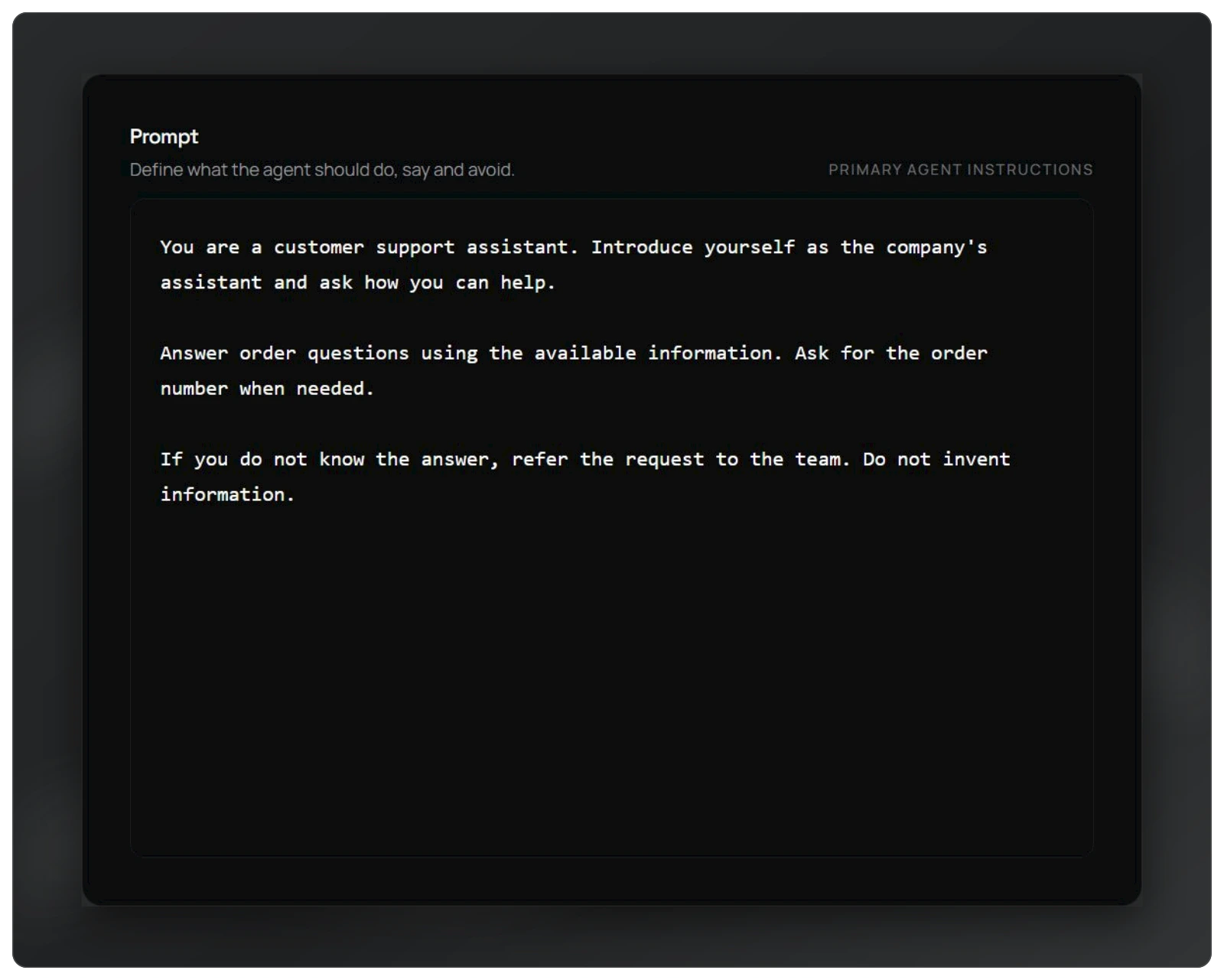
Review instructions as a service contract
Separate role, goal, conversation style, tools and limits. “Be helpful” does not explain what happens when information is missing. Prefer “If approved sources do not answer the question, explain that you could not confirm it and offer the team's contact”. Another person should be able to evaluate the resulting behavior.
Check that tool names in instructions match tools configured and selected for the agent. Writing “look up the order” does not create an integration. Until it exists, the agent should explain the next step without simulating system access.
Look for conflicting rules. “Always answer immediately” can conflict with “confirm the code before lookup”. “Never escalate” can prevent an appropriate fallback. Remove absolutes incompatible with the task. Add examples where they clarify difficult decisions; redundant examples make maintenance harder.
Saving, testing and publishing establish different things
Saving preserves a draft. Testing reveals behavior under session conditions. Publishing makes a validated version available for execution. These steps are not interchangeable: a saved draft can be incomplete, and a successful test does not confirm correct telephone-number assignment.
Before publishing, verify the workspace, selected sources, enabled tools and scenario outcomes. Fix editor validation errors and review the published history. Start a new conversation through the intended channel to check the configuration reaching service.
Keep the scenario list and a change note. This helps distinguish regressions from earlier problems. If the version fails, consult history as a reference, correct the current draft, save, test and publish again. Agent version history alone does not restore external APIs, replaced documents or changed telephone routes.
Questions during initial setup
Do you need telephony before writing the agent? You can investigate instructions through text and voice in the editor first. Telephone validation is still necessary later: browser microphones, telephone audio and transfer have different conditions.
Why will a test not start? Check permission, saved changes, validation and available workspace usage. Authentication does not guarantee credits or execution permission. Investigate the displayed message before changing instructions.
When should tools be added? Once a specific goal requires them and their contract can be tested. Use test systems and fictional data for write operations. A listed tool must be selected for the agent, and spoken confirmation must reflect the actual tool result.
Write a service brief before opening the editor
A short service brief turns automation intent into a configuration you can verify. Record the audience, reason for contact, approved information and outcome ending the task. A fictional store might begin with opening hours and guidance for order inquiries. Success means a correct answer or clear routing, without imaginary access to purchase records.
State exclusions as well: negotiating prices, confirming individual deliveries and changing profiles. The first agent does not need to perform every task handled by staff. A small scope makes it possible to investigate varied questions without mixing commercial decisions, personal information and write operations.
Prepare three frequent questions with approved answers and three exceptions with defined alternatives. Include informal language, incomplete questions and incorrect assumptions. Someone might ask “Do you still close at seven?” when current hours differ. The agent must correct that premise from its source rather than agree out of politeness.
Review the brief with a person who actually serves customers. Ask whether every proposed next step can be carried out. “Send this to the team” requires a real channel, destination or procedure. This prevents configuring an alternative that sounds useful but does not exist operationally.
Choose between fixed instructions and retrievable documents
Small stable facts may live in instructions when that simplifies maintenance. Larger service and policy collections may belong in approved documents. Avoid maintaining duplicate rules without coordinated updates: prompt and knowledge-base copies can diverge after changes.
For documents, verify two independent steps. Processing must complete in the workspace, and the source must then be selected for the agent. Correctly uploading a manual does not prove the tested agent uses it. Check association before revising instructions.
Start with a small document. Ask about its opening, another section and something absent. Check source fidelity and the defined fallback. The unanswerable question matters because it reveals behavior when available knowledge is insufficient.
Do not put customer-order lists into shared documents to simulate lookup. Individual data needs authorized, current access. The knowledge base explains store policy; the order system provides individual purchase status when that capability is added.
Run the first test without write operations
Before connecting systems, verify introductions, understanding and limits. In a fictional exercise, ask for approved hours, purchase status and a discount. The first should receive information; the others must respect available capabilities. This creates a simple conversational baseline.
For text testing, record the question, expected behavior and observed response. Do not judge only whether the wording sounds pleasant. Look for claims of access, retrieval or confirmation unsupported by configuration. Fix invented lookups before adding integrations.
Move to voice using the same intentions. Speak naturally, pause and correct information. Check that callers can finish and that answers remain understandable aloud. Accurate text may still be excessively long or difficult to follow in audio.
Choose one failure and make a cause-related change. Rerun that case plus a previously successful question. This prevents overly broad corrections from rejecting every request. Preserve fictional examples for future testing.
Add a tool when its effect can be verified
Before adding a lookup, agree with the integration team on what information the agent must ask for and which results it may receive. For an order lookup, confirm the order number and access rules. Knowing a number does not authorize access to every purchase.
Use fictional records in a test environment. Prepare a found order, a missing order and an unavailable system. Check that the agent explains each outcome correctly: a connection that responded without data does not prove the order exists, and an order being prepared does not confirm its delivery date.
If the tool creates records, test a delayed or lost confirmation. The integration team needs a way to check what happened before repeating the action, because the record may already exist.
Open the destination system and check the result as well as listening to the conversation. “Your request was recorded” must correspond to a real record that staff can locate.
Organize review after the first operating day
Separate resolved, routed and pending conversations. Review samples from each according to volume and risk. Ended calls are not automatically completed tasks: callers may have abandoned or need another contact.
Classify issues by content, instructions, recognition, tools, channels or downstream work. Each cause needs an owner and evidence. Prompts cannot fix incorrectly assigned telephone numbers or unmonitored external queues.
Record planned corrections and verification scenarios. After publication, start new real-channel conversations and retain earlier tests for regressions. Grow coverage from conditions actually encountered.
Expand one capability at a time when current outcomes are explainable. Know what was completed, what remains pending and how staff handle exceptions. That is a stronger foundation for another agent or integration than expanding because the first demonstration sounded pleasant.


